Why GB WhatsApp Is Not Installing on Android 15
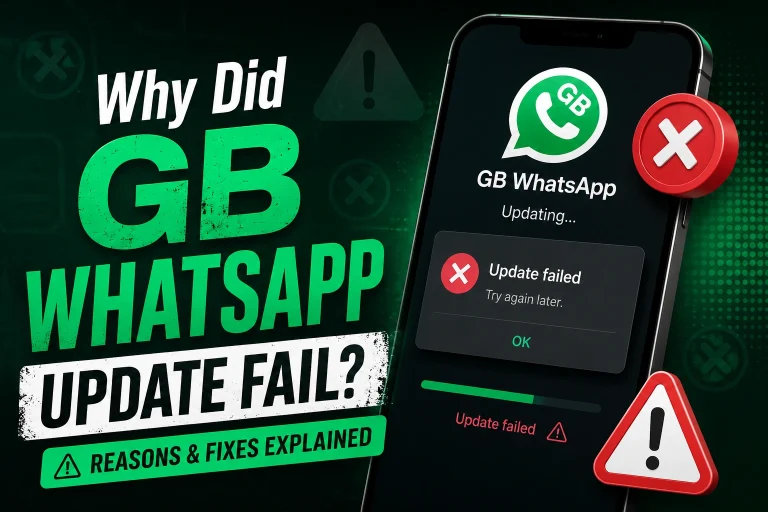
Many Android users upgraded to Android 15 expecting better performance and security, only to discover that GB WhatsApp suddenly refuses to install. Some devices show “App not installed,” while others block the APK completely or crash during setup.
This issue has become increasingly common in 2026 because Android 15 introduced stricter security protections, background app restrictions, and package verification systems. Since GB WhatsApp is a modified version of WhatsApp, it can sometimes conflict with these newer Android security policies.
The good news is that most installation problems can be fixed within a few minutes.
Why Android 15 Blocks GB WhatsApp
Android 15 includes stronger protection against unofficial APK installations. Google has tightened restrictions to reduce malware and unauthorized app modifications.
Because GB WhatsApp is not distributed through the Google Play Store, Android may flag it as:
- Unsafe
- Unsupported
- Incompatible
- Modified software
Some phone brands apply even more restrictions on top of Android 15, especially:
- Samsung
- Xiaomi
- Oppo
- Vivo
- Huawei
This is why the same APK may install on one device but fail on another.
Common GB WhatsApp Installation Errors
Users usually see one of these messages:
- “App not installed”
- “Package appears invalid”
- “Parsing package error”
- “Installation blocked for security reasons”
- “This app isn’t compatible with your device”
In some cases, nothing happens at all after tapping the APK file.
These problems are usually caused by system conflicts rather than damaged phones.
Remove Old GB WhatsApp Versions First
One of the biggest reasons installation fails is because old files still exist on the device.
Android 15 is stricter about package signatures. If your previous GB WhatsApp version uses a different signature from the new APK, installation may fail instantly.
How to Fix It
Before installing:
- Backup chats and media
- Uninstall the old GB WhatsApp completely
- Restart the phone
- Install the new APK again
If you skip the uninstall step, Android may reject the installation automatically.
Enable Unknown App Permissions Properly
Android 15 changed the location of APK installation permissions on many devices.
Simply enabling “Unknown Sources” is no longer enough.
Correct Method
- Open Settings
- Go to Security or Privacy
- Tap Install Unknown Apps
- Select your browser or file manager
- Enable:
- Allow from this source
Without this permission, Android blocks APK installations silently.
Disable Play Protect Temporarily
Google Play Protect may automatically stop GB WhatsApp installation.
This is one of the most common hidden causes on Android 15.
Steps to Disable Play Protect
- Open Google Play Store
- Tap profile icon
- Select Play Protect
- Open Settings
- Turn off:
- Scan apps with Play Protect
After installation, many users enable it again.
Download the Correct APK Architecture
Some GB WhatsApp APKs are incompatible with certain processors.
Android phones mainly use:
- ARM64
- ARMv7
- x86
Installing the wrong architecture can trigger:
- Parse errors
- Instant crashes
- Failed installations
Always use the APK version designed for your chipset and Android version.
Android 15 Storage Restrictions Can Cause Failures
Android 15 introduced stricter file access controls.
If the APK is stored inside protected folders, installation may fail.
Better Solution
Move the APK to:
- Downloads folder
- Internal storage root folder
Avoid installing directly from:
- Telegram cache
- WhatsApp folders
- Cloud sync directories
This solves installation issues surprisingly often.
Low Storage Space Can Block Installation
Many users overlook available storage.
Even if the APK itself is small, Android still needs extra temporary installation space.
Recommended Free Space
Keep at least:
- 3GB free storage
- 1GB free RAM
Phones with nearly full storage often fail APK verification.
Why GB WhatsApp Crashes Immediately After Installing
Sometimes installation succeeds, but the app closes instantly.
This usually happens because:
- The APK is outdated
- Android 15 compatibility is poor
- Permissions were denied
- Old cache files remain
Quick Fix
Try:
- Clearing app cache
- Granting all permissions manually
- Reinstalling the latest anti-ban version
- Restarting the phone
Older GB WhatsApp builds from previous Android versions often cannot run properly on Android 15.
Samsung and Xiaomi Users Face More Restrictions
Some manufacturers add additional security systems.
Samsung
Samsung devices may block modified APKs using:
- Auto Blocker
- Knox security
Disable Auto Blocker temporarily before installation.
Xiaomi
MIUI and HyperOS sometimes restrict background APK verification.
Go to:
Settings → Privacy Protection → Special Permissions
Then allow manual APK installs.
Best Practices Before Installing GB WhatsApp
To reduce installation problems:
- Use the latest stable version
- Avoid beta builds
- Backup chats regularly
- Remove old APK files
- Restart device before installation
- Keep Android updated
Many failed installations happen because users install random outdated versions found online.
Is GB WhatsApp Compatible With Android 15?
Yes, newer GB WhatsApp builds are gradually improving Android 15 support.
However, compatibility still depends on:
- Device brand
- Security patches
- APK version
- Processor architecture
Some users may still experience occasional crashes or restrictions until developers fully optimize future releases.
Final Thoughts
Android 15 introduced much stronger security protections, which is why GB WhatsApp installation problems have become more common in 2026. Most issues are caused by blocked permissions, outdated APKs, signature conflicts, or Play Protect restrictions.
Fortunately, the majority of installation failures can be solved by removing older versions, enabling unknown app permissions correctly, and using updated Android 15-compatible builds.
For the best experience, always keep backups of your chats and avoid unofficial or suspicious APK sourc