Is GB WhatsApp Safe in 2026?
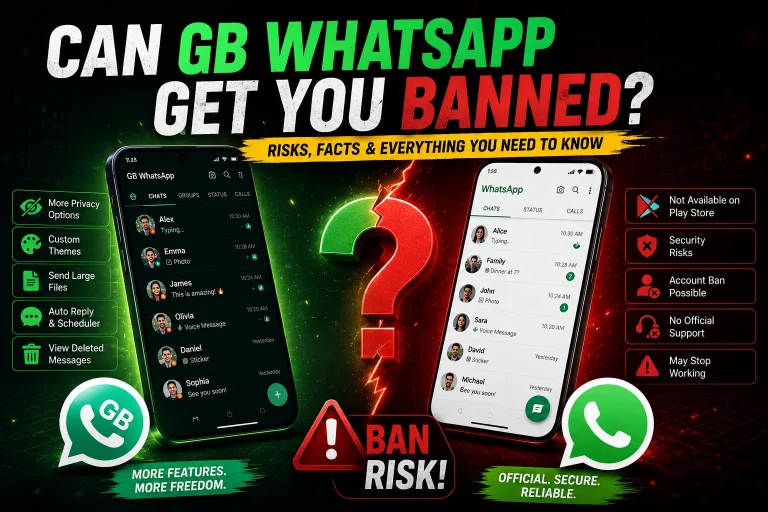
GB WhatsApp is not completely safe because it is an unofficial modified WhatsApp client. The main risks are the APK source, possible malware, privacy concerns, and the possibility of WhatsApp restricting your account.
However, the risk is not the same for every APK. The source you download from, how the APK has been modified, the permissions it requests, and how you use it all matter.
If you are deciding whether to install GB WhatsApp, the important thing is to understand which risks are real, how to check an APK, and what you should avoid doing with it.
What Are the Biggest Risks of GB WhatsApp?
There are four main risks to consider:
APK security: A third party can modify or repackage an APK before distributing it. A file that uses the same version name may not necessarily be the same file.
Privacy: Because GB WhatsApp is not the official WhatsApp client, users cannot assume that its modified code handles information in exactly the same way as the official application.
Account restrictions: WhatsApp does not officially support modified clients, so using one can create a risk of temporary restrictions or other account action.
Updates: You depend on the third-party developer to release and maintain updates. An outdated version may leave security problems unresolved.
These risks are more important than whether the application looks normal after installation. An APK can work normally and still have security or privacy problems that are not immediately visible.
How Can I Tell If a GB WhatsApp APK Is Safe?
There is no single test that can prove an APK is completely safe, but you can reduce the risk before installing it.
Start with the download source. Avoid pages that redirect through multiple websites, automatically download additional files, or ask you to install another application before accessing the APK.
Check that the version shown on the download page matches the APK you receive. If the website says one version but the downloaded file has a different name or version, do not install it.
You can also upload the APK to a reputable malware-scanning service before opening it. Multiple serious detections are a strong reason to delete the file rather than continue with the installation.
A professional-looking download page is not enough. The APK file itself needs to be treated as untrusted until you have checked it.
Can a Safe-Looking APK Still Be Dangerous?
Yes.
An APK can install normally, open without errors, and appear to work correctly while still containing unwanted code.
Likewise, a clean result from one security scanner does not guarantee that the application is completely safe. Detection systems can miss new or modified threats, while some security concerns are related to privacy or application behavior rather than traditional malware.
This is why you should not rely on a single statement such as “virus-free” or “100% safe.”
The safest approach is to combine several checks: use a consistent download source, verify the file, scan it, review permissions, and avoid suspicious installation instructions.
Can GB WhatsApp Read My Messages?
This is one of the most important privacy questions.
You should not assume that a modified WhatsApp client provides exactly the same privacy guarantees as the official WhatsApp application.
The problem is not simply whether someone can directly “read your messages.” A modified application may have access to information stored or processed on your device, depending on its implementation and the permissions it receives.
For that reason, avoid using an unofficial client for extremely sensitive conversations whenever possible.
Do not send passwords, banking credentials, identity documents, private company files, or other information that could cause serious problems if exposed.
Can GB WhatsApp Steal My WhatsApp Account?
GB WhatsApp itself should not be treated as a guaranteed account-stealing tool, but using unofficial software creates additional security risks.
The bigger danger comes from fake download pages and services that ask for your phone number, verification code, password, or other account information.
Never give your WhatsApp verification code to a website claiming that it is required to activate GB WhatsApp.
You should also avoid “premium activation,” “anti-ban verification,” or similar services that ask you to log in outside the normal WhatsApp account process.
If a website asks for information that WhatsApp itself would normally send directly to your phone, stop and check the process before continuing.
Will I Get Banned for Using GB WhatsApp?
There is a real account-restriction risk because GB WhatsApp is an unofficial WhatsApp client.
A modified application may work normally for a long period and still receive a restriction later. Therefore, claims such as “100% anti-ban” or “permanent anti-ban protection” should not be treated as guarantees.
If WhatsApp detects or takes action against an unsupported client, you may receive a warning or temporary restriction. In more serious cases, account access can become a larger problem.
For users who rely on one WhatsApp number for business, work, or important personal communication, this is one of the biggest reasons to avoid using a modified client as the primary account.
Is GB WhatsApp Safe for My Main Number?
If your WhatsApp number is important to you, the official WhatsApp application is the lower-risk choice.
Using your main number with GB WhatsApp means accepting the possibility of account restrictions as well as the additional privacy and APK-security risks associated with third-party software.
This matters particularly if the number is connected to customers, colleagues, family members, two-factor authentication, or other important services.
If losing temporary or permanent access to the account would create a serious problem, the additional risk is probably not worth it.
Is GB WhatsApp Safe for Private or Business Chats?
It is better to avoid using GB WhatsApp for highly sensitive business or personal conversations.
For ordinary conversations, the decision depends on your own tolerance for the additional risks of unofficial software. But confidential business documents, financial information, passwords, legal documents, customer information, and other sensitive material should be kept away from an unofficial messaging client whenever possible.
The more valuable the information inside your chats, the more important it is to use software with a clearly established security and support model.
What Should I Do If I Already Installed GB WhatsApp?
If GB WhatsApp is already installed, you do not need to panic.
First, think about where the APK came from. If you downloaded it from an unfamiliar website or received it from someone else, scan the original APK if you still have the file.
Next, review the permissions granted to the application. Unusual permissions should be treated carefully.
Check your phone for unexpected applications, unusual pop-ups, unexplained battery consumption, excessive data usage, or other behavior that appeared after installation.
If you decide to remove GB WhatsApp, make sure important conversations and media are backed up first and that you understand the available restoration options.
If your account has already received an official WhatsApp warning about an unsupported application, switching to the official WhatsApp client is the safer course of action.
What Should I Do If GB WhatsApp Shows a Security Warning?
Do not ignore the warning simply because the APK installation has worked before.
First, stop the installation and check the exact message shown by Android or your security software.
If the warning identifies the APK as potentially harmful, the safest option is not to install it.
Do not disable security protections just to force an APK installation. If a website tells you to turn off Play Protect or another security feature before downloading, consider that a significant warning sign.
Instead, remove the suspicious file and obtain the application through a source you can verify.
How Can I Reduce the Risk?
If you still decide to use GB WhatsApp, focus on reducing avoidable risks.
Download only from a source you trust and avoid random APK links shared through forums, pop-ups, social media comments, or unknown file-hosting pages.
Scan every new APK before installation, especially after a major update.
Keep Android and your security software updated, and do not disable built-in security protections simply to install an APK.
Do not provide verification codes, passwords, or sensitive account information to third-party websites.
Keep regular backups of important conversations and files.
Most importantly, do not treat claims such as “100% safe,” “no virus,” or “permanent anti-ban” as guarantees. There is no third-party website that can eliminate every security or account risk associated with an unofficial WhatsApp client.
Is GB WhatsApp Safer Than Official WhatsApp?
No.
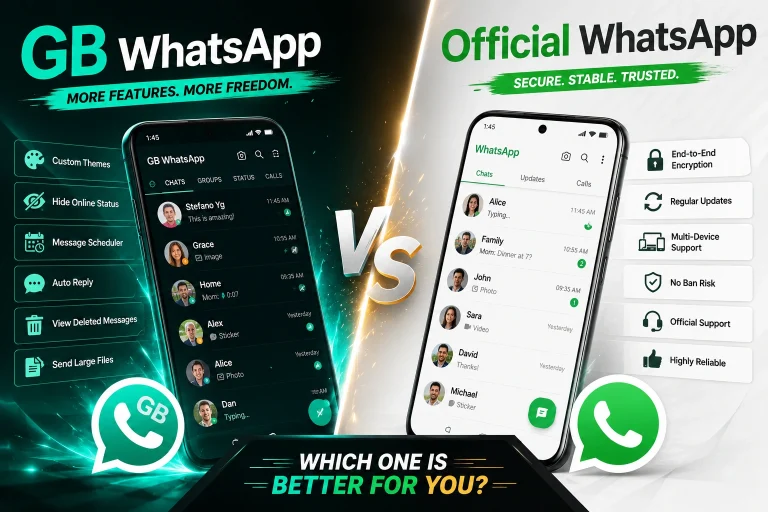
The official WhatsApp application remains the safer choice for users who prioritize security, privacy, account reliability, and official support.
GB WhatsApp introduces additional uncertainty because it is modified and distributed outside WhatsApp’s official application channels.
That does not mean every GB WhatsApp APK is malicious. It means that users have fewer ways to independently verify how a particular modified APK was built, changed, and distributed.
If security is your top priority, use the official WhatsApp application.
Final Verdict: Is GB WhatsApp Safe?
GB WhatsApp is not completely safe, and it should be treated as higher-risk software than the official WhatsApp application.
The biggest concerns are not simply whether the app opens or works normally. The important issues are the APK’s source, possible modifications, privacy uncertainty, malware exposure, and account restrictions.
If you choose to use it, check the APK before installation, avoid suspicious download pages, protect your verification information, maintain backups, and keep sensitive information out of unofficial applications.
For anyone who cannot afford to lose access to their WhatsApp account or expose sensitive conversations, the official WhatsApp client remains the safer option.
FAQ
Is GB WhatsApp safe in 2026?
It cannot be guaranteed to be completely safe. It is an unofficial modified client, so users face additional APK, privacy, and account risks compared with the official application.
Is GB WhatsApp safe if there is no virus warning?
Not necessarily. A clean security scan is useful, but it does not prove that an APK has no privacy or security issues.
Can GB WhatsApp ban my number?
Yes. Using an unofficial WhatsApp client can result in account restrictions. No third-party developer can guarantee permanent anti-ban protection.
Should I use GB WhatsApp with my main WhatsApp account?
If the account is important for work, business, family, or other essential communication, the official WhatsApp application is the safer choice.
Can I use GB WhatsApp for sensitive conversations?
It is better to avoid sending passwords, financial information, identity documents, confidential business files, or other highly sensitive information through an unofficial client.
What is the biggest GB WhatsApp security risk?
The biggest concern is the lack of certainty about the APK you are installing. A third-party APK can be modified or repackaged, and users cannot rely solely on the version name or appearance to verify its safety.
Should I disable Play Protect to install GB WhatsApp?
No. Do not disable Android security protections simply to force an APK installation. A security warning should be investigated rather than bypassed.